

Overview of Maxon CINEMA 4D Studio 2027.1:

Maxon CINEMA 4D Studio 2027.1 Crack is a professional 3D modeling, animation, simulation, and rendering software solution. Its fast, powerful, flexible, and stable tools make 3D workflows more accessible and efficient for design, motion graphics, visual effects, AR/MR/VR, game development, and tech professionals. visualization.
Maxon CINEMA 4D Studio is an easy-to-learn, powerful, and perfect package for all 3D artists who want to achieve amazing results quickly and without hassle. Beginners and seasoned pros alike can use Cinema 4D’s tools and features to achieve stunning results quickly. Cinema 4D’s legendary reliability also makes it ideal for high-speed 3D productions.
Maxon CINEMA 4D Studio 2027.1 Key Features:
-
Modeling
Introducing ZRemesher for retopology, new interactive modeling tools, advanced spline nodes, new capsule possibilities, and improved vector import.
-
Cloth Simulation
With all-new Fabric and Strap dynamics, you can achieve more realistic simulations on highly multithreaded CPUs or GPUs.
-
Redshift Everywhere
Redshift for Cinema 4D now supports CPU rendering and includes high-quality in-viewport previews and import/export of Redshift content.
-
Capture 3D models with Moves by Maxon
Quickly convert a series of images into 3D models in Cinema 4D.
-
Track Modifier Tag
Allows you to modify animated tracks on objects or beacons in a speedy way.
-
User Interface Enhancements
The most intuitive 3D app just got better. A modern touch of the C4D interface shows what’s important and focuses more on your artwork.
-
Capsules
Capsule assets built into the core of C4D scene nodes provide plug-in-like procedural power.
-
Spline import
Import vector artwork from Illustrator, PDF, and SVG files to use in your 3D scenes. Advanced features such as symbols and shapes filled with gradients are supported.
-
Polygonal Modeling
Polygons are 3D building blocks. With Cinema 4D’s comprehensive polygon modeling toolset, it’s easy to create everything from cars to creatures.
-
Parametric Modeling
Maxon CINEMA 4D Studio 2027.1 Full Version offers a variety of parametric objects that give you a structure to build on and provide the flexibility to make changes at any time.
-
Volume Modeling
OpenVDB Cinema 4D-based volume modeling provides a procedural way to create complex objects by combining basic shapes in Boolean-like operations.
-
Sculpting
Create organic models with Cinema 4D’s intuitive sculpting tools. Drag, flatten, cut, pinch, etc. Your stitches are like digital clay.
-
Poly Pen
It is a Swiss Army knife for 3D modeling. Easily create, select, move, or delete points, edges, and surfaces without changing tools.
-
Polygon Reduction
Polygon reduction quickly reduces the number of polygons in the model while maintaining smooth UVs, point maps, and selections for light meshes.
-
Texturing
The Cinema 4D Material System lets you create photorealistic materials with layered material channels, reflectance, procedural shaders, and more.
-
Node-based Materials
Create complex materials for Maxon’s physical renderer. Intuitive, flexible, and powerful, as you would expect from a node-based system.
-
BodyPaint 3D
BodyPaint 3D has a full set of tools to paint detailed textures directly onto your 3D objects, turning models into beautiful works of art.
-
UVs
Maxon CINEMA 4D Studio provides everything you need to make fine UV work a pleasure, whether for hard surfaces or organic shapes.
-
Animation Basics
Almost any object, material, or parameter can be animated. Keyframes can be done manually, with automatic or parametric keyframes.
-
Character Animation
Maxon CINEMA 4D Studio offers a variety of powerful, easy-to-use animation tools to help you create and bring characters and creatures to life.
-
Fields System
By far the most powerful feature in MoGraph is more than just mitigations. A new way to control, layer, and link effects to each other.
-
Magic Bullet Looks
Easily apply any of over 200 predefined film looks, import LUTs, or work with custom color correction tools – directly in C4D.
-
Car Rig
Whether you’re animating your car for commercials or visual effects, these powerful and intuitive Car Rig presets make it easy to get your car ready for some powerful gliding action.
-
Simulation
Create dynamic relationships between objects, generate hair and fabric, or use springs, motors, and aerodynamics to produce spectacular simulations.
-
Lighting in C4D
Exposure controls, including Color, Brightness, Dimming, Visible or Volumetric Light, Noise, and Lumen or Candela Brightness, deliver real results.
-
Tracking
Tracking objects or camera positions is essential for integrating 3D elements into the footage. C4D offers built-in tools to achieve this.
-
Character Object
Allows you to easily create flexible rigs for all character types, based on presets for bipeds, quadrupeds, and more, all created by top animators.
-
Mixamo Control Rig
Easily apply animated clips from Adobe’s Mixamo library to your Cinema 4D characters and transform or repurpose them in a few simple steps.
-
Toon Rig
Animated like in Looney Tunes. This versatile character rig offers all the features you need to bring the cartoon style to life.
-
Rendering System
Elegant, realistic rendering and convenient infrastructure management – Cinema 4D has everything you need for a smooth rendering workflow.
-
Moving by Maxon
Capture facial and body movements with our iPhone and iPad apps and instantly apply them to your character in Cinema 4D.
-
Substance
The free Substance plugin for C4D offers native 3D content creator support for Allegorithmic procedural materials workflows in C4D.
-
Voronoi Fracturing
Voronoi Fracture lets you smash any object into procedural fragments using almost anything to control the distribution of broken pieces.
-
Take System
Edit and save almost any setting in Cinema 4D – object properties, animations, lights, camera, materials, textures, and more.
-
After Effects Integration
Cineware Maxon lets you insert native C4D projects directly into After Effects, manipulate 3D assets, and render directly from within After Effects.
-
Adobe Illustrator
Integration with industry-leading vector graphics software Adobe enables the original import of vector graphics, types, and graphics into Cinema 4D.
-
Adobe Photoshop
Tight integration with Adobe’s industry standards for image processing enables the import of multi-layered PSD files, e.g., for easy material fabrication.
-
Network Rendering
Flexible administration is the key to efficient rendering. With the C4D network rendering solution, rendering client administration is easy.
-
Supported File Formats
The production environment is rarely homogeneous, and the fluidity of exchanges between the tools is essential. C4D supports all common exchange formats.
-
SDK / Development Community
In a studio environment, it is often necessary to create tools to integrate C4D into the pipeline. Our well-developed SDK simplifies this process.
-
X-Particles Integration
X-Particles is by far the most widely used simulation tool for C4D. From realistic effects to abstract motion graphics, anything is possible.
-
Unreal Integration
With the release of Unreal Engine 4.23, Epic Games introduced Cinema 4D support enabled through the Datasmith plugin.
-
Unit Integration
The Unity plugin (available on the Unity Asset Store) is compatible with Cinema 4D R21+ and Unity 2019.3.0+.
-
Vectorworks Integration
Vectorworks develops all-in-one design and BIM software for the architectural, landscape, and entertainment industries.
-
Archicad Integration
ARCHICAD is a leading provider of Building Information Modeling (BIM) software solutions for the architecture and design industries.
-
Allplan Integration
ALLPLAN is a global developer of open solutions for Building Information Modeling (BIM).
-
Sketchfab Integration
With the free Sketchfab plugin, you can upload 3D objects and animations directly from Cinema 4D to the Sketchfab platform.
-
Environment
Creating a landscape model from scratch is hard work, but there are specialized tools out there that allow you to create a world in an instant.
-
Apple Final Cut Pro and Motion
Maxon CINEMA 4D Studio can produce multi-layered Final Cut Pro 7 project files with just a few clicks.
-
Nuke Integration
Maxon CINEMA 4D Studio Crack can create fully NUKE project files with proper node structure.
-
Blackmagic Fusion Integration
Instantly render Fusion compositions with Cinema 4D.
-
Simulation Partners
Whether it’s a spectacular simulation of smoke, water, fire, or abstract particle flow for motion graphics, there’s software to make it easy.
-
Rendered with Chaos V-Ray
V-Ray is an award-winning rendering engine for artists, architects, designers, and generalists, allowing you to visualize anything you can imagine.
-
Rendering with Arnold
Arnold for Cinema 4D provides a gateway to Autodesk’s powerful CPU-based rendering engine, Arnold, from the standard Cinema 4D interface.
-
Rendering with Corona
High-performance (unbiased) photorealistic rendering focused on realism, ease of use, and affordability, without compromising on quality or power.
-
Other Renderers
Each artist has their preference when it comes to rendering. That’s why Cinema 4D supports a wide variety of external render engines.
-
Real-Time Graphics
Especially in broadcast production, the key is being able to add up-to-date graphics quickly. C4D brings 3D objects directly into major applications.
-
Motion Capture
Motion capture is an easy way to quickly and realistically animate characters. Cinema 4D supports major manufacturers of mocap devices.
-
Cineware for After Effects
Cineware has provided seamless integration of Cinema 4D assets into After Effects.
-
Cineware for Illustrator
Add and edit 3D objects live in Adobe Illustrator CC 2020 using the new Cineware for Illustrator plugin.
-
Rendering with Octane
OctaneRender is a spectrally correct, unbiased GPU render engine with high output quality and speed, popular with C4D artists.
-
Placement Tools
Placing objects in a scene has never been easier and more intuitive, whether you’re building a complex environment or adding greens to a logo.
-
Asset Browser
Easy to find and use models, materials, and other assets. An amazing library of resources to support your creativity is always nearby.
-
Scene Manager
Cinema 4D’s new node-based highlights let you use flexible node-based assets to enable procedural geometry creation, cloning, and more.
-
MoGraph Basics
MoGraph is our unique, award-winning procedural modeling and animation tool, making C4D the first choice for motion designers.
What’s new in Maxon CINEMA 4D Studio 2027.1?
(Released on 23-11-2026)
New Features
- AI Model Generator (Maxon Plus)
AI-powered 3D model generation, available inside Cinema 4D and online through Maxon Plus. Start from text or an image, refine the concept, then generate a model to develop further. Prompts and reference images guide the concept, variations can be explored before committing to a generated model. Model and preview generation need an internet connection and consume Maxon Plus credits.
- AI Texture Generator (Maxon Plus)
AI-powered texturing for models you already have, integrated into Cinema 4D and available online through Maxon Plus. Start with an existing model, describe the surface or supply reference images, and generate textures to develop further. Front, back and side camera views steer generation, and you can keep existing UVs or let new ones be generated. Texture and reference generation need an internet connection and consume Maxon Plus credits.
- Open in Spatial Preview (Mac only)
A new command that sends the open Cinema 4D scene to Apple Vision Pro for viewing in VR, so a design can be walked through at real-world scale instead of judged from a flat image. Cinema 4D Redshift materials are translated into the preview, and optimisation is applied to keep performance in the headset smooth. The Cinema 4D application window can be viewed inside the headset, and selected changes made in the scene sync one way from Cinema 4D into the immersive experience as they happen.
- Maxon Review (Public Preview)
A new service for sending 3D scenes, videos and images to collaborators, clients and art directors for feedback and sign-off. Reviewers open a browser link, comment in context and record a decision against a specific version. They need only a Maxon account, with no licence, no subscription, no 3D software and no credits. Only the C4D artist starting a review or uploading new versions needs a Maxon Plus subscription for online storage of the review files.
Bug Fixes
Attribute Manager
- Fixed an issue where preset names did not update correctly in the Attribute Manager.
- Fixed an issue where preset names did not update correctly when loading presets from the preset name area.
C++ API
- Fixed an issue where calling child access methods on CKey could return invalid pointers and cause crashes.
- Fixed an issue where DataTypeImpl could be null in certain cases.
- Fixed a crash that could occur during Python execution in certain workflows.
Deformer
- Fixed an issue where XPresso driver and driven icons were not displayed correctly.
Exchange
- Fixed an issue where some USD files imported with incorrect mesh deformation and skeleton scaling.
- Fixed an issue where joint animations were not exported correctly to USD in certain hierarchies.
- Fixed a crash when importing certain USD files.
- Fixed an issue where Cinema 4D could crash at startup due to stale Substance connector files.
- Fixed a regression that could cause USDZ export with skinned animations to fail.
- Fixed an issue where Cloners were baked into polygon objects instead of being exported as USD point instancers.
- Fixed an issue where USDZ exports could fail when using many render instances referencing the same object.
- Fixed an issue where USD exports could contain missing meshes due to nested layer visibility.
- Fixed an issue where exported USDZ files could crash Apple Preview due to stray disconnected points.
- Fixed an issue where Redshift Camera Shift X/Y values were not preserved in USD exports.
- Fixed an issue where joint hierarchies with identical names could become incorrectly merged on USD import.
- Fixed incorrect point light radius values in USD exports using Image intensity units.
- Fixed an issue where animations could be missing in USD exports when Prevent Gprim Nesting was enabled.
- Fixed an issue where inherited materials could export with incorrect default assignments.
- Fixed an issue where UV transform settings could be lost during material baking export.
- Fixed an issue where instances are missing during USD export.
Hair
- Fixed a crash that could occur when calling Hair API functions on Hair objects without guides.
Interface
- Fixed an issue where the Tag Group resize handle could only resize the window in one direction.
- Fixed an issue where Measure & Construction tool presets did not correctly detect, restore, or apply default settings.
- Fixed an issue where the Spatial Preview Settings window could open with a truncated header.
Material
- Fixed Material Tag selection fields creating undo steps for every typed character.
Modeling
- Fixed a crash in modeling module when importing certain scenes.
- Fixed a crash in the Sculpt system during subdivision mesh generation.
- Fixed an issue where Alembic cameras could cause incorrect viewport interaction and offset point selections.
- Fixed a regression where Tweak mode could stop working in Object and Model modes after moving the viewport camera.
- Fixed an issue where resetting Normal Tag position values did not restore the default value.
- Fixed an issue where Laubwerk plant assets could become tiny when switching from Document Scale to Custom Scale.
MoGraph
- Fixed an issue where Scatter objects did not reliably update when toggling Use Deformed Points.
- Fixed an issue where Scatter object clone count information displayed incorrect values when set to zero.
- Fixed an issue where MoGraph Cache Tags did not preserve cached animation after disabling effectors.
- Fixed a misleading Field Driver layout that could display duplicate Min and Max parameters for Scatter object controls.
- Fixed an issue where MoGraph Cache Tag playback options could appear in the Basic tab instead of their dedicated tab.
Neutron
- Fixed incorrect viewport and Extrude results with Nodes Splines using Spline Chamfer in Line mode.
Other
- Fixed a crash that could occur at shutdown after triggering external rendering via Python in headless mode.
- Fixed a crash that could occur when calling NormalTag.Edit() on a detached Normal Tag.
- Fixed an issue where Picture Viewer frames could display incorrect cached content after rendering completed.
Picture Viewer
- Fixed an issue where Picture Viewer could show color banding after cache updates.
Python
- Fixed a crash caused by missing nullptr checks in DataType methods such as DataType_GetId().
- Fixed a crash caused by a missing self->layer null check during Python script execution.
- Fixed a crash in ParseGeneric caused by a nullptr when calling VolumeToolsInterface_CheckPolyIndexValidityAndReturn().
- Fixed an issue where missing nullptr checks in CPyUnicode_AsCString and CPyUnicode_AsString could cause crashes.
- Fixed an issue where GeUserArea().GetDragObject() could crash when passed a BaseContainer().
- Fixed an issue where calling IsEmpty(), GetBases(), or ToString() on certain maxon API types could cause crashes.
- Fixed an issue where calling IsEmpty(), GetHashCodeImpl(), or ToString() on certain Maxon API types could cause crashes.
- Fixed an issue where using VertexColorTag.SetPolygon() on per-point color data could cause crashes.
Redshift
- Fixed an issue where dragging an HDRI from the Asset Browser could incorrectly select existing non-dome lights.
Scene Layout Tools
- Fixed an issue where Laubwerk plant assets could not be scaled correctly with the Place Tool.
- Fixed an issue where Dynamic Place scale handles could behave inconsistently when scaling groups of objects.
- Fixed an issue where the Dynamic Place gizmo could keep an incorrect orientation after undo.
Sculpting
- Fixed an issue where Ctrl+drag extrusions on subdivided sculpt meshes could cause crashes.
- Fixed an issue where interacting with the Sculpting Layers level slider after extracting and deleting a layer object could cause crashes.
Simulation
- Fixed an issue where adjusting Liquid Mesher parameters such as Influence Scale, Droplet Scale, or Steps could cause crashes.
- Fixed an issue that could cause crashes in simulation scenes during document loading and evaluation.
- Fixed an issue where foam simulations could receive unintended downward impulses during playback.
- Fixed an issue where selecting and copying certain objects could cause freezes or crashes.
- Fixed an issue where Spray particles could pass through collision objects such as floors.
- Fixed an inconsistency where Lifetime Decay values were displayed as a float instead of a percentage in the Modifier.
- Fixed an issue where cached scenes could lose collision behavior during playback.
UV Tools
- Fixed an issue where Automatic UV Packed mode with Overlap Identical Geometry could freeze and fail to respond to cancel actions.
- Fixed a crash that could occur on Windows when using Automatic UV Packed mode with Overlap Identical Geometry enabled.
- Fixed an issue where Automatic UV could freeze or fail to cancel on meshes containing bad polygons or invalid UV data.
- Fixed a freeze that could occur when generating Packed Automatic UVs on meshes with non-planar polygons.
- Fixed an issue where UVs could still be moved or trigger unintended undo actions while the UVW tag was locked.
- Fixed incorrect UV tile coordinate labels in the UV Editor to match the UV Transform manager and UDIM layout.
- Improved the UV Editor texture selection display in Viewport Settings to correctly show textures assigned from materials.
- Fixed an issue where Line Cut could distort UVs on meshes with n-gons, including when Preserve UVs was enabled.
Viewport
- Fixed an issue where scaling a camera in Object Mode could deform the viewport view inconsistently with the rendered image.
- Fixed a macOS crash when interacting with the viewport after enabling Show Guides on the Cogwheel spline.
- Fixed a crash on Windows that could occur when zooming in and out in certain scenes.
- Fixed a crash when pasting sculpt objects into a new scene.
- Fixed an issue where Rotate tool angle readouts in the viewport and status bar could differ.
- Fixed an issue where the HUD tool history could become unresponsive with certain tools.
- Fixed an issue where Random Viewport Colors could remain unchanged after splitting objects.
- Fixed an issue where renders could produce inconsistent results across platforms and hardware configurations.
- Fixed an issue where default Safe Frame values did not match SMPTE and EBU specifications.
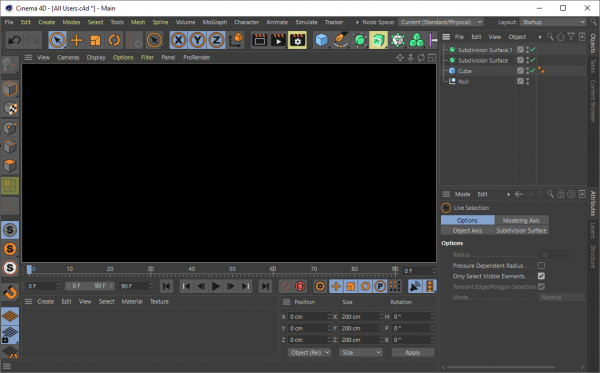
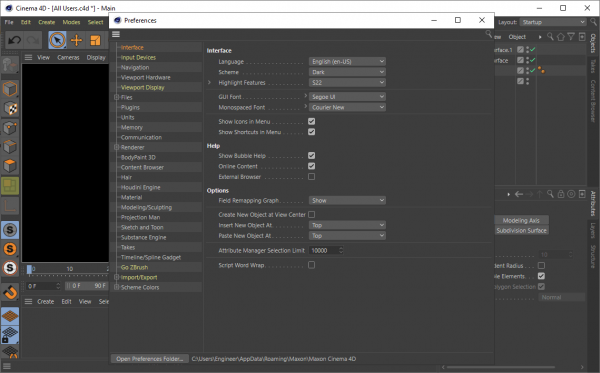
Screenshots:
System Requirements:
- Operating System: Windows 7/8/10
- Processor: Multicore Intel Series or above, Xeon, or AMD equivalent
- RAM: 4 GB (8 GB recommended)
- Hard Disk Space: 4GB or more
Maxon CINEMA 4D Studio 2027.1 Full Version Free Download from the link given below: